#Applications Tools Softwares
##shell and terminal
-
zsh
-
starship
-
st
- tabbed
-
foot
-
kitty
-
mtm
-
tmux
-
tuios
##wm
- X
- dwm
- xorg-xeye: help to find xwayland app while running wayland
- xev wev: key stroke under X and wayland
- wayland
- niri
- river
- hyprland
- mangowc
- tty
- dvtm
other:
Related tools
Xephyr is a nested X server that runs as an X application.
If you wish to run a nested X window, you will need to specify a new display:
TEXT
$ Xephyr -br -ac -noreset -screen 800x600 :1This will launch a new Xephyr window with a DISPLAY of “:1”. In order to launch an application in that window, you would need to specify that display:
TEXT
$ DISPLAY=:1 xtermIf you want to launch a specific WM, spectrwm for example, you would type:
TEXT
$ DISPLAY=:1 spectrwmYou can also launch Xephyr with your xinitrc using startx:
TEXT
$ startx -- /usr/bin/Xephyr :1Grabbing and un-grabbing user input: Pressing Ctrl+Shift should lock/unlock your mouse pointer and your keystrokes inside Xephyr window exclusively if possible.
If using KDE, create a window rule to ignore global shortcuts. Then you can use Alt+Tab inside Xephyr.
Tips and tricks: Other examples for situations where Xephyr can be useful are:
- A testing environment for an X application, or feature, in which the tester would like to keep working in their usual X environment, yet defending the other applications from failures of the application under test.
-
OpenSSH#Remote emphasize 3 settings in the sshd server configuration file for
OpenSSH#X11 forwarding (over ssh). 2 of these, out of 3, are the default settings. When the ssh client can not influence the ssh server administrator to set the 3rd one,
X11Forwarding, to yes, Forwarding X11 over ssh uses Xephyr as a work around to be installed in the ssh client machine.
##DE
- launcher
- rofi
- dmenu
- utils
- dms
- noctalia
- iwd, impala
- pipewire, wiremix
- bluez, bluetui
- power-profiles-daemon
- pcmanfm, Thunar, yazi
- fcitx5
- waterfox, brave
Editor
- neovim
- cbfmt format code blocks inside markdown
- latex:
- languagetool,
- hunspell-en_us,
- texstudio
- word: abiword
- pdf: sioyek, zathura, pdfbooklet
- markdown: obsidian
media:
- python-eye3: edit meta data for mp3
- mpd
- frontend for mpd:
- cli:mpc
easytagto edit metadata of a audio file.- tui:
- ncmpc
- ncmpcpp
- mmtc (no, weird config)
- rmpc
- mpv
- mpvpaper: wallpaper by mpv in wayland
- yutto a bilibili downloader
- bilibili-tui wired
- ffmpeg
-
ninve A tui video editor. Use
mpvto play andffmpegto edit. - pic
- feh
- flameshot
- picgo
##system and kernal
-
stacer: trash cleaner, monitor
-
btop: usage monitor
-
btrfs-assistant
-
timeshift
-
snapper
-
disk usage 感觉还是dua好用,图示其实用处不大
- dua: du 的替代品,我一般用
dua -i交互式查看 - bonsai: gnome的baobab(kde的filelight)的tui版本,旭日图那个
- diskonaut: 类似treesize, wiztree的方格划分的
- btrfs-heatmap: btrfs usage by hilbert curve
- gparted
- dua: du 的替代品,我一般用
-
systemd
- systemd-manager-tui
- systemctl-tui
- isd
-
aconfmgr: A configuration manager for Arch Linux. Kind of like nixOS. github
-
linux-firmware: Since
linux-firmwareis departed, only need some of them. Usearch-checkfwto find which.linux-firmwareincludesTEXT
Depends On : linux-firmware-amdgpu linux-firmware-atheros linux-firmware-broadcom linux-firmware-cirrus linux-firmware-intel linux-firmware-mediatek linux-firmware-nvidia linux-firmware-other linux-firmware-radeon linux-firmware-realtek Optional Deps : linux-firmware-liquidio: Firmware for Cavium LiquidIO server adapters linux-firmware-marvell: Firmware for Marvell devices linux-firmware-mellanox: Firmware for Mellanox Spectrum switches linux-firmware-nfp: Firmware for Netronome Flow Processors linux-firmware-qcom: Firmware for Qualcomm SoCs linux-firmware-qlogic: Firmware for QLogic devices -
dracut: Alter for mkinitcpio
-
limine Alter for grub not support fo timeshift btrfs snap yet
-
yabsnap, another
snapper, not support fo timeshift btrfs snap yet -
kmscon alternative getty and tty, support unicode
-
for arch
- lostfiles find orphaned files not owned by Arch package
- archstatus
- arch-wiki-doc wikiman
- pacfiles
pacman -Falternative - pacman-contrib
- alma-nv
##useful tools
-
calendar, task, email, rss, etc
- dstask
- todo.txt
- timewarrior
- taskwarrior
- tasknc
- taskwarriortui
- todoman
- vdirsyncer
- khal
- todoman
- aerc
- newsboat
-
git and related
-
cronboard : cron
-
casaos 本地一键部署docker,似乎很好用
-
clivm is a lightweight tool to locally create containers for multiple Linux distributions.
-
Distrobox is a container wrapping layer that allows the user to install containerised versions of Linux that are different to the host while providing tight integration with the host allowing the use of binaries designed for one distribution to run on another. Distrobox itself is not a container manager and relies on Podman or Docker to create containers.
-
BoxBuddy is a gui for
Distrobox. -
surge: tui download manager
-
darkhttpd
-
nginx
-
httrack
-
whois
tldr
Command-line client for the WHOIS (RFC 3912) protocol. More information: <https://manned.org/whois>. Get information about a domain name: whois example.com Get information about an IP address: whois 8.8.8.8 Get abuse contact for an IP address: whois -b 8.8.8.8 -
stew-bin: install binary from github
-
for terminal and shell
- fancy-cat cat pdf or other
- ripgrep-all:
rgato match in pdf - lsix: list pictures by sixel
- chafa: show pixels of pictures through sixel
- gping: render in tui for ping
- fv-cli show font in terminal using sixel iterm or kitty
-
ffcast
-
fbterm
-
drive
- sshfs: Filesystem client based on SSH.
- koofr
- rclone
-
hardware
- zmk-studio
- librepod
shell
sshfs username@remote_host:remote_directory mountpoint
umount mountpoint
# Mount remote directory from server with specific port: -p
# Use compression: -C
# Follow symbolic links: -o follow_symlinks
sshfs -o follow_symlinks username@remote_host:remote_directory mountpoint -p 2222 -C##tui
##Interesting
- genect: 假装很忙的shell操作屏幕保护程序
- pipes-rs: 屏幕保护程序
- cmd-wrapped: summarize shell history
- diagon draw things in ascii github web app
- gitmal: generate a site from a git repo
- codesnap generate pictures of code snaps
-
quarkdown Turn markdown with additional marks to pdf or html, like LaTeX.
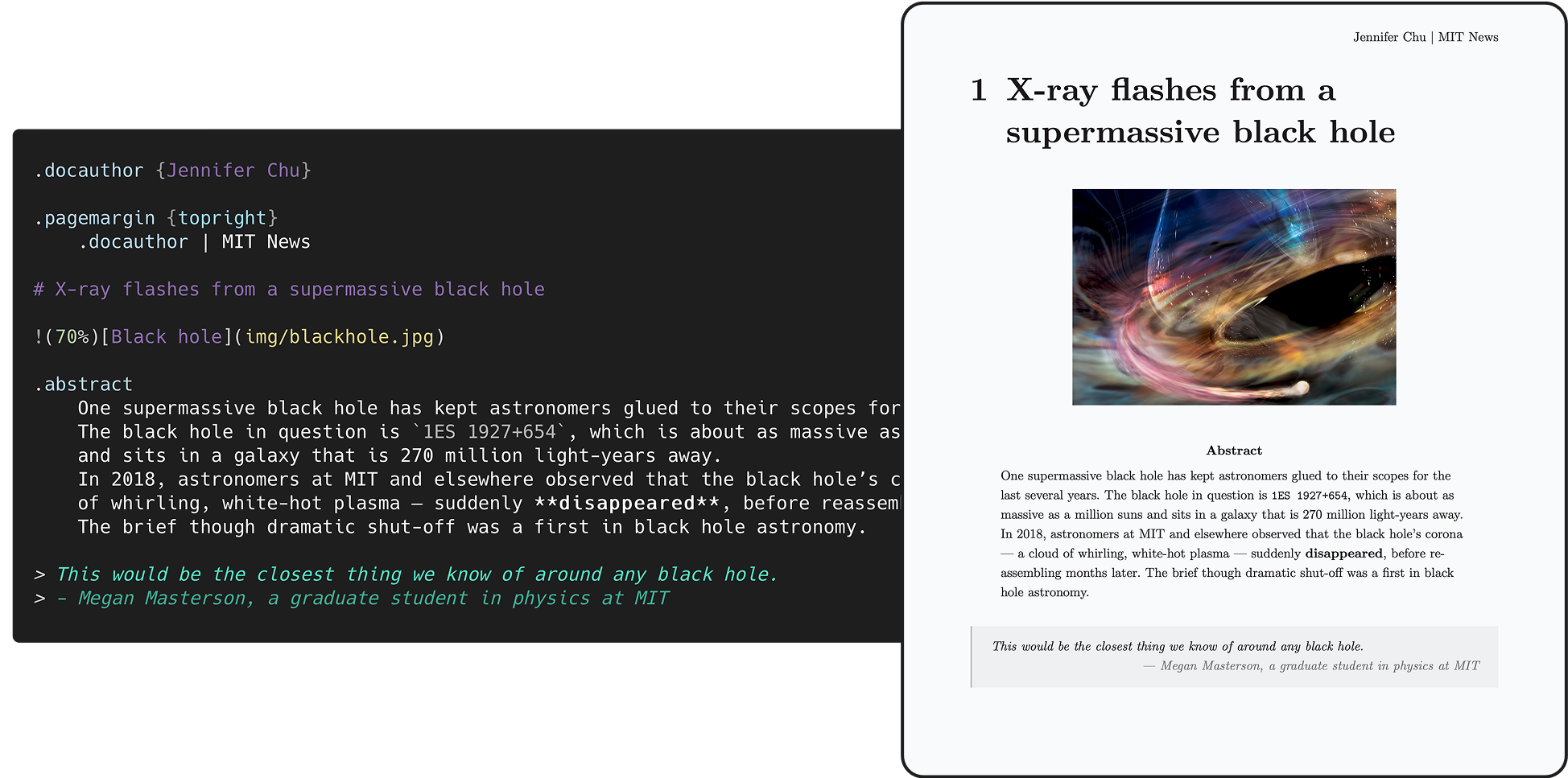
paper 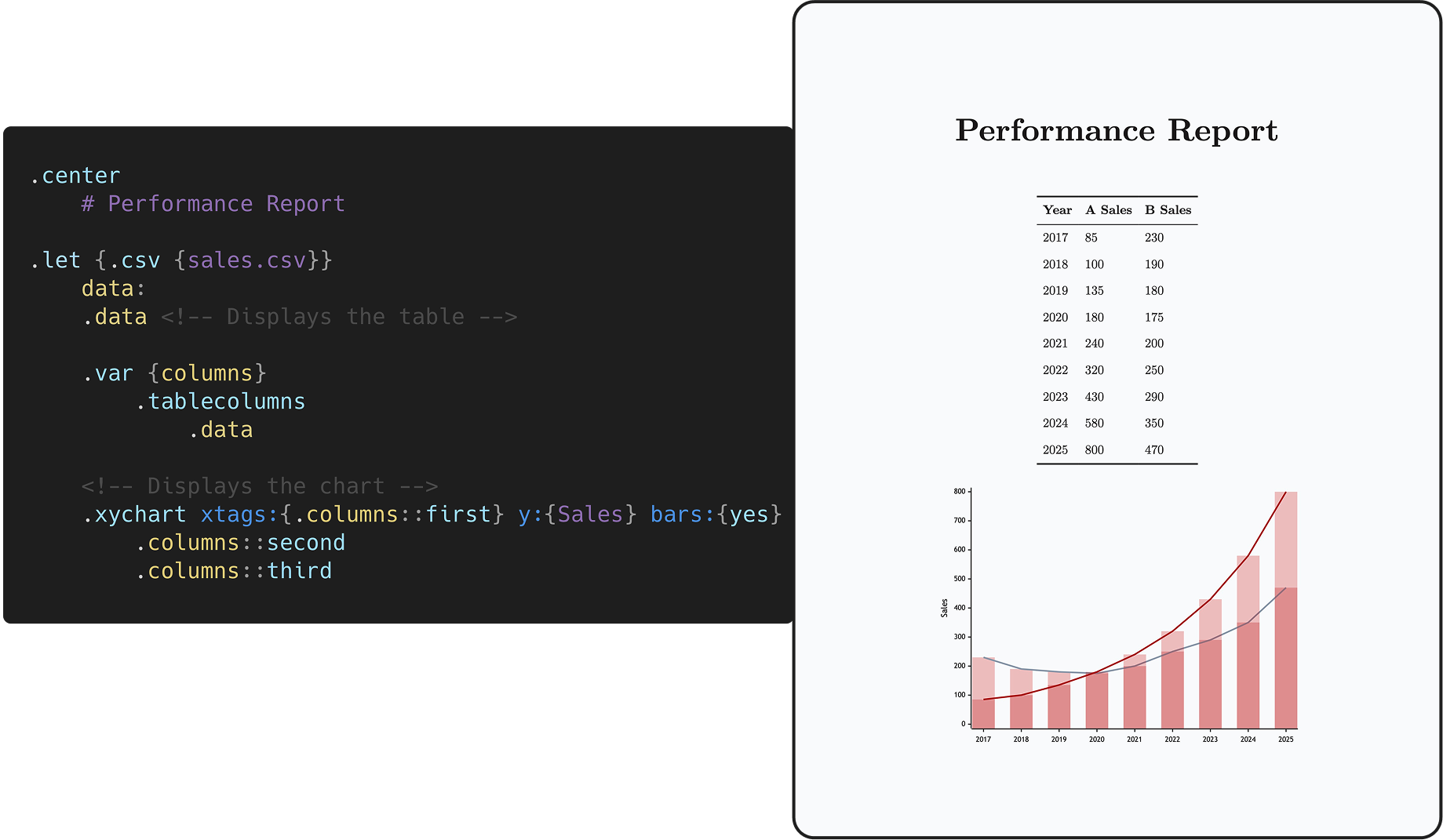
chart - gowall: A tool to convert a wallpaper’s colorscheme, like nord or onedark
- activate-linux a watermark